

You open your laptop, the Wi-Fi symbol looks fine, and nothing loads. No files, no calendar, no video call. The meeting starts in four minutes and there is nothing on your desk you can actually fix.
Most of us now carry our entire office in a bag. A laptop, a login and a decent connection, and any desk anywhere becomes a workplace. That portability is what made flexible working possible in the first place. It also hides how much heavy, physical machinery sits behind the simplicity.
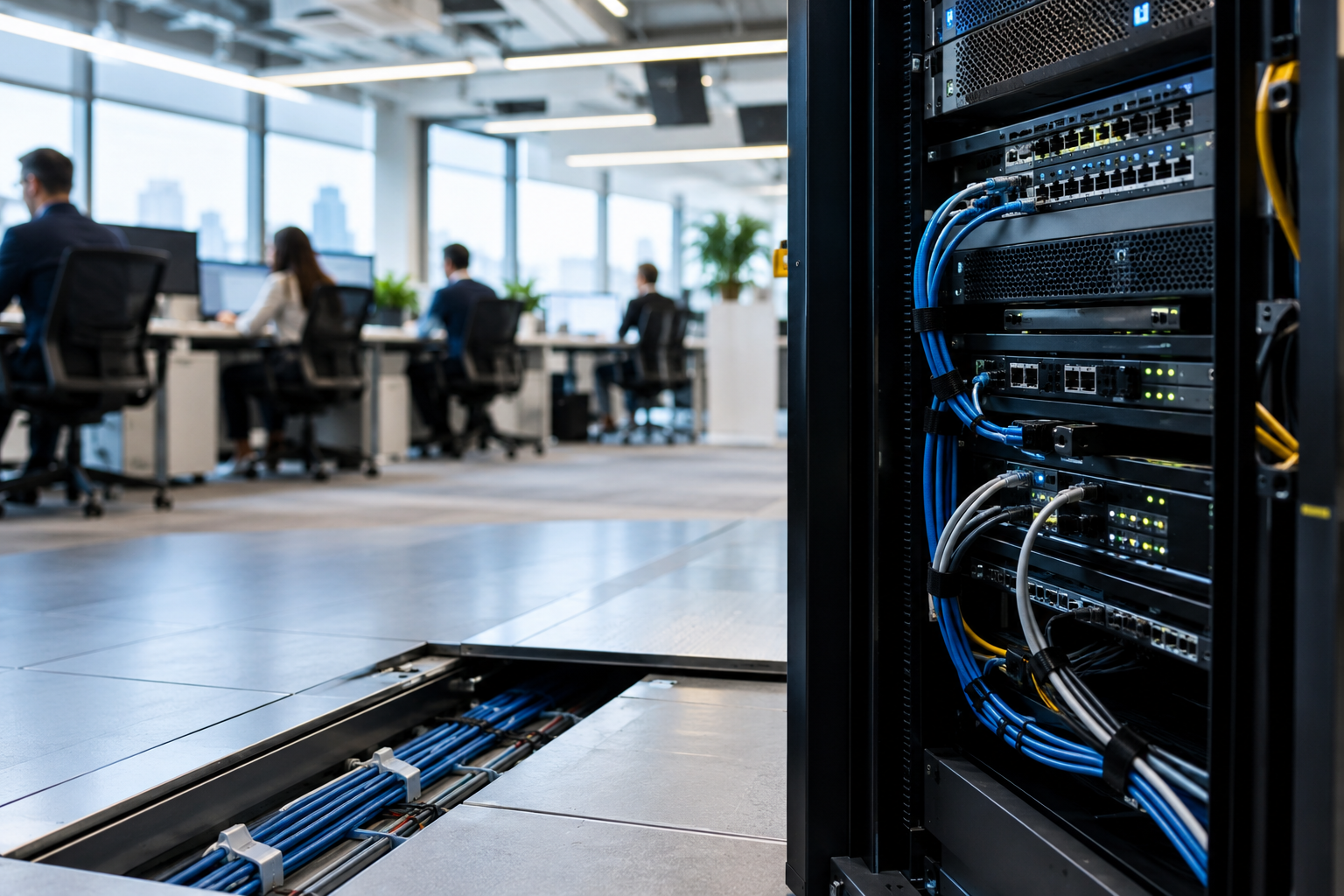
Nothing about a cloud document is weightless. Somewhere there is a building full of servers, drawing power, producing heat and needing to be cooled, connected and maintained. When that chain breaks at any link, the digital office stops being digital and simply stops.
Key Takeaways
- Almost everything in a modern workspace depends on a chain of physical infrastructure, not just the internet connection.
- Outages are common among UK small businesses, and many have nothing to fall back on.
- The cloud is a set of real buildings, and the UK government now treats them as critical national infrastructure.
- Shared workspaces feel infrastructure problems more sharply because one failure affects many businesses at once.
- Resilience is a mix of IT planning and physical dependability, not one or the other.
The Modern Workplace Depends on More Than Wi-Fi
Think about an ordinary Tuesday. You badge into the building using a digital access system. You join a video call, open a file stored in the cloud, message a colleague over an internet-based phone system and book a meeting room on an app. Later you take a card payment, update a project board and send a document to a printer that connects over the network.
Every one of those is a separate dependency, and almost none of them live on your laptop. The internet connection is only the first link in a long chain.
Connection quality shapes how well the whole chain holds together before anything actually breaks. Research by G.Network, reported by ITPro, found that 47% of London business owners and senior leaders said employee productivity is often undermined by poor connectivity, and a quarter said slow or unreliable broadband had cost them business.
What Happens When the Infrastructure Fails
The problem with a connected workplace is that failures arrive in groups. One interruption rarely takes out a single tool. It takes out the calendar, the files, the phone system and the door locks at the same moment.
A Zen survey of 500 UK SME decision-makers, covered by NationalWorld, found 91% had experienced internet outages and 92% said business tasks become difficult when internet problems hit. The tasks they named were exactly the ones that make up a working day: reaching cloud-based services including voice, cited by 54%, online banking at 47% and taking card payments at 39%.
The same research found 23% had no backup connectivity at all, rising to 38% among businesses with one to nine employees. Those are the firms least able to absorb the disruption and least likely to have a second route online.
Length matters less than timing. Twenty minutes is nothing on a quiet afternoon and genuinely costly during a client presentation or a day of back-to-back calls. Work does not pause politely and wait.
The Physical Buildings Behind the Cloud
It helps to be specific about what the cloud actually is. When the UK government designated data infrastructure as Critical National Infrastructure in September 2024, putting it alongside energy and water, the written statement to Parliament described it plainly as the physical data centres and cloud infrastructure underpinning the digital economy. Buildings, in other words, full of servers that need steady power, cooling to stop them overheating and physical cabling to carry data.
Power is the part that goes wrong most often. Uptime Institute’s 2026 outage analysis, covered by Network World, found power failures behind 45% of impactful data centre outages, with UPS failures, transfer switch failures and generator failures the leading root causes. Networking and connectivity issues came top for IT service outages more broadly, at 23%. That is why serious facilities build in redundancy: backup generation, duplicated cooling and monitoring designed to catch problems early. Specialist providers such as www.wbpsltd.co.uk/industries/data-centres/ work on the standby power side of these facilities, which gives a sense of the engineering sitting beneath a file that opens in a second.
The consequences travel a long way when it goes wrong. During the Amazon Web Services outage on 20 October 2025, Holyrood reported that 67 AWS services were affected, with banking apps including Lloyds, Bank of Scotland and RBS disrupted along with HMRC. Thousands of businesses with no direct relationship with AWS lost access to tools they use daily.
Why This Matters More in a Shared Workspace
In a shared workspace, infrastructure is communal. One failure does not inconvenience one team, it reaches everybody on the floor at once.
That changes the character of the problem. A freelancer misses a client call. A startup loses access to its project tools. Someone running time-sensitive work finds the deadline has moved closer while the files stayed shut. Meeting room screens stop working and access systems stop recognising members.
It is one of the less glamorous things worth asking about when choosing where to base a business. Natural light and good coffee are easy to assess on a tour. Whether the connectivity has a second route, and whether critical systems stay up during a power interruption, usually takes asking directly.

Building a More Resilient Digital Workplace
No one can engineer away every possible failure. What is realistic is knowing where your dependencies sit and having something to fall back on.
A practical approach looks like this:
- Know which of your tools stop working the moment connectivity drops, and which keep going offline.
- Keep a secondary route online, even if that is mobile data on a phone you can tether.
- Hold local copies of the handful of documents you cannot work without.
- Choose providers that publish their resilience arrangements rather than assuming they have them.
- Agree with your team what happens during an outage, so nobody spends the first half hour working out who to tell.
- Check that genuinely critical equipment has suitable backup power behind it.
This is also a good moment to look at how your team actually works day to day, because a team spread across several locations has more connection points to think about than one sitting in a single room.
The Weak Point Worth Knowing About
Those four minutes before a meeting, watching a file refuse to open, are when all of this becomes concrete. The modern workplace looks almost physical-light. A laptop, a login, a bag. Behind it sits power, cooling, cables and buildings, all of which have to work for any of it to feel effortless.
You cannot control most of that infrastructure. You can understand which parts your work leans on, and make sure a bad half hour does not turn into a lost day. That awareness is part of what working flexibly asks of people now.
